10 Game Design Tips for Beginners: Think Big, Start Small
Think big, start small: the most important game design principle
Most first-time game designers make the same mistake: they try to build something massive before they understand the fundamentals. The games that actually get finished — and enjoyed — usually start with a single clear mechanic that works well, then grow from there. Here are ten practical tips for anyone starting out in game design.
1. Know your target audience before you design anything
Your goal is not to impress everyone — it is to build something specific people will love. Before designing a single level or mechanic, identify who you are making the game for. What games do they already play? What frustrates them about similar games? What are they looking for that does not exist yet? Talking directly to potential players early will shape every decision you make and is more valuable than any amount of internal brainstorming.
2. Design the core gameplay loop first
The core gameplay loop is the fundamental action the player repeats most often — jump, shoot, collect, build, solve. Everything else in the game is built around this loop. If the core loop is not enjoyable on its own, no amount of story, graphics, or added features will fix it. Define the loop early, test it with real players, and iterate on it until it feels right before building anything else on top of it.
3. Write a Game Design Document (GDD)
A GDD is a working document that describes what the game is, how it works, who it is for, and how it will be built. It does not need to be long, but it needs to exist. Include the core concept, target platform, gameplay mechanics, art direction, win and fail conditions, and a rough scope of work. The GDD keeps you and any collaborators aligned and gives you something to return to when decisions become difficult.
4. Maintain design consistency throughout
A game with inconsistent design confuses and frustrates players. If you are building a dark atmospheric platformer, do not suddenly introduce cartoon power-ups. If the game’s difficulty curve is gradual, a sudden spike will feel unfair. Every element — art style, tone, mechanics, level design, difficulty — should feel like it belongs to the same world. Whenever you consider adding something new, ask whether it fits the high concept you defined at the start.
5. Make a strong first impression in the opening ten minutes
Players decide very quickly whether to continue playing. The first ten minutes need to communicate what the game is, teach the core mechanic through play rather than a text tutorial, and give the player an early sense of accomplishment. Strong visual and audio design in the opening sequence does a lot of this work for you — it signals quality and sets expectations for what follows.
6. Choose the right engine for your project scope
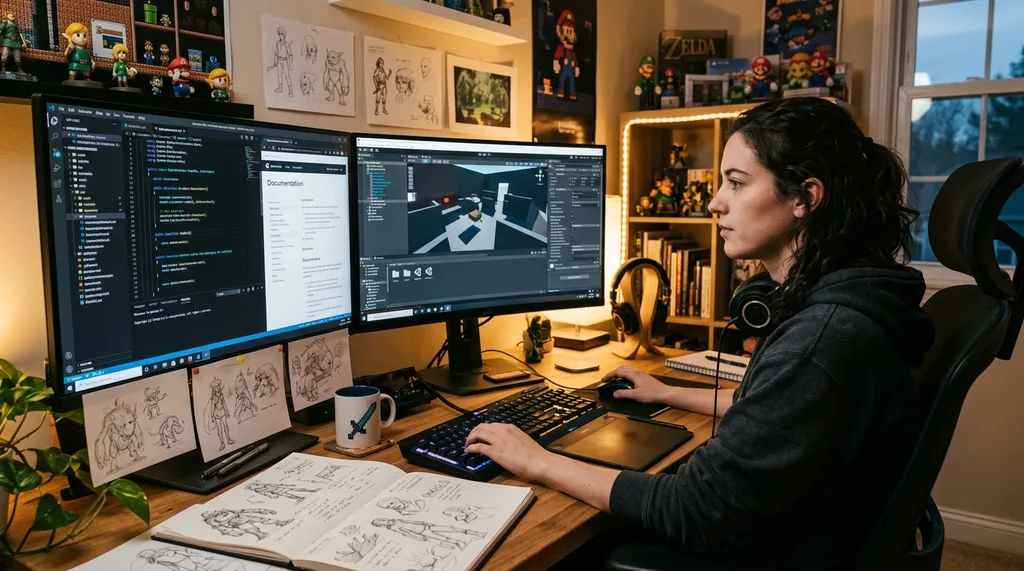
Beginners do not need the most powerful tool — they need the right one for their project. Godot is lightweight, free, and uses a beginner-friendly scripting language (GDScript). Unity is well-suited for mobile and 2D games with an enormous library of tutorials and community support. Unreal Engine is better for high-end 3D but has a steeper learning curve. Start with Godot or Unity for your first project. Build something small and functional before expanding your scope.
7. Playtest constantly and with real players
You cannot playtest your own game accurately — you know too much about how it works. Find people who have not played it before and watch them play without explaining anything. Where do they get stuck? What do they try to do that your design does not allow? What do they ignore that you thought was important? Playtesting early and often is how good games get better. Most problems surface in the first ten minutes of watching someone new play.
8. Learn enough math and programming to understand what you are asking for
Beginners do not need advanced mathematics, but basic geometry and arithmetic are important for physics, collision detection, and character movement. If you are working with developers, understanding the basics of what you are requesting makes communication significantly more effective and prevents you from designing mechanics that are impossible or expensive to implement. Free resources on platforms like Khan Academy cover everything a game designer at the beginner level needs.
9. Do not aim for originality — aim for execution
New game designers often spend too much energy trying to create something completely original. Original ideas are rarer than they seem, and most great games are excellent executions of familiar concepts. A simple, well-polished platformer beats a poorly executed novel concept every time. Study successful games in your genre, understand why they work, and apply those principles to your own project. Originality emerges naturally from your specific perspective and choices.
10. Finish something small before starting something big
Completing a small, imperfect project teaches you more than planning a large one for years. Every finished game — no matter how simple — adds to your portfolio, teaches you the full development cycle, and builds the habits that will help you ship larger projects. Start with a game that can be completed in a few weeks. Publish it. Then start the next one bigger. According to the International Game Developers Association, portfolio projects are the primary factor hiring studios evaluate for entry-level candidates — not degrees or certifications.
FAQs about game design for beginners
What is the best game engine for beginners?
Godot is the most beginner-friendly option. It is free, lightweight, and uses GDScript, which is similar to Python and easy to learn. Unity is also a strong choice for beginners who want a larger community and more mobile/2D resources. Unreal Engine is powerful but better suited to intermediate users with prior programming experience.
Do I need a degree to become a game designer?
No. Many professional game designers are self-taught. What matters is a strong portfolio of completed projects and demonstrable skills in design, development, or both. Online courses on platforms like Coursera, Udemy, and YouTube provide structured learning without the cost of a degree. A computer science or game design degree can accelerate opportunities at larger studios, but it is not required.
What are the 3 Cs of game design?
Character, Controls, and Camera. These three elements form the foundation of how a game feels to play. If any of them are off — a character that controls sluggishly, confusing input mapping, or a camera that obscures the action — players will notice immediately. Getting the 3 Cs right early is essential before building more complex systems.
How much math does a game designer need?
Basic reasoning and spatial thinking matter more than advanced mathematics for most game design work. As you progress, basic algebra and geometry become important for understanding physics, collision systems, and character movement. Designers who understand programming concepts communicate much more effectively with developers, even if they do not write code themselves.
What is a core gameplay loop and why does it matter?
The core gameplay loop is the primary action the player repeats most often throughout the game — jumping, shooting, building, solving, or collecting. It is the foundation of the player experience. A loop that is enjoyable on its own, even stripped of all other features, is the sign of a solid game design. Most successful games can describe their core loop in a single sentence.