
Best Dreamcast Emulators in 2026 for Windows, Mac, and Android
Why Dreamcast emulation still matters
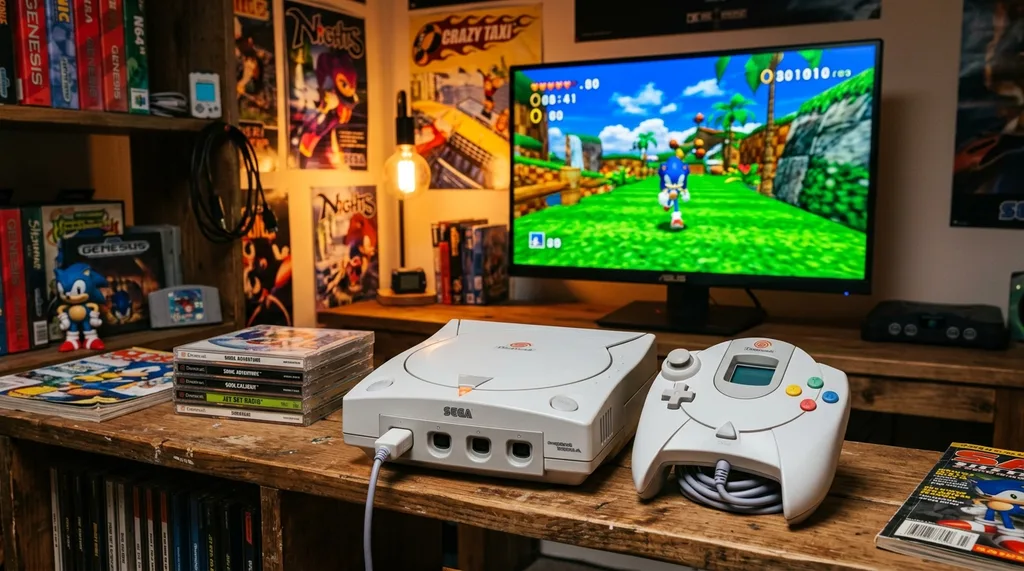
The Sega Dreamcast launched in 1998 and was discontinued in 2001 after selling around 9.13 million units worldwide. Despite its short commercial life, it hosted a library that has held up extremely well — Jet Set Radio, Shenmue, Crazy Taxi, Soul Calibur, and dozens of others. The emulation scene for Dreamcast has matured significantly over the years. Here are the best emulators available today across Windows, Mac, Linux, and Android.
1. Flycast (formerly Reicast) — Best overall
Flycast is the current standard for Dreamcast emulation and the most actively maintained project available. It was developed from Reicast’s codebase and is available for Windows, macOS, Linux, and Android. Flycast offers excellent game compatibility, high-resolution rendering, and support for the Naomi and Atomiswave arcade hardware that shared technology with the Dreamcast. It integrates into RetroArch as a core, which makes it easy to manage alongside emulators for other systems. For most users looking for a reliable, modern Dreamcast emulator, Flycast is the best starting point.
2. Redream — Best for upscaling and ease of use
Redream is a commercial emulator (with a free tier and a paid premium version) focused on simplicity and visual quality. It can upscale Dreamcast games to 1080p and 4K, making older titles look significantly sharper on modern displays. Redream supports Windows, macOS, Linux, and Android. The interface is clean and beginner-friendly compared to other emulators. The free version covers most functionality; the premium version unlocks HD rendering.
3. DEmul — Best Windows-only option
DEmul is a Windows-exclusive emulator with strong game compatibility and a plugin-based system for video and audio output that gives experienced users more control. It supports Dreamcast, Naomi 1 and 2, and Atomiswave hardware. DEmul is not in active development, but it remains a solid choice for Windows users who want compatibility with a wide range of Dreamcast titles, including some commercial games that run better here than elsewhere.
4. NullDC — Open-source Windows emulator
NullDC is an open-source Dreamcast emulator for Windows that was one of the pioneering projects in the scene when it launched in 2006. It supports a broad range of Dreamcast and Naomi games and offers a clean user interface. NullDC requires the most recent DirectX version and the Visual C++ runtime to function properly, along with a Dreamcast BIOS file. While it is no longer in active development, it still runs many titles competently and is useful as a secondary option when other emulators have compatibility issues with a specific game.
5. Makaron — Naomi and Dreamcast support
Makaron is a Windows-based emulator designed for both Sega Dreamcast and Sega Naomi hardware. It has strong compatibility with commercial Dreamcast games and is a useful alternative when DEmul or Flycast have issues with a particular title. Makaron is no longer actively updated but remains stable for the library of games it supports.
What you need to run Dreamcast emulators
Most Dreamcast emulators require a BIOS file extracted from a real Dreamcast console. This is a legal grey area — emulators themselves are legal, but distributing or downloading BIOS files you do not own may not be. Check the documentation for the specific emulator you choose. For hardware, most modern PCs and Android devices handle Dreamcast emulation without difficulty. Redream is the most hardware-friendly option for lower-spec devices. According to IGN’s retrospective coverage, the Dreamcast library includes some of the most influential games of its era, many of which hold up surprisingly well when upscaled through modern emulators.
FAQs about Dreamcast emulators
What is the best Dreamcast emulator in 2026?
Flycast is the best overall Dreamcast emulator for most users. It has the most active development, the broadest platform support (Windows, macOS, Linux, Android), and strong compatibility with the Dreamcast library. Redream is the best option for users who want upscaled visuals and a simpler setup without configuring plugins.
Is Reicast still available?
Reicast has been superseded by Flycast, which was built on Reicast’s codebase and continues to be actively developed. Reicast itself is no longer maintained. If you were previously using Reicast, switching to Flycast is recommended for better compatibility and ongoing updates.
Do Dreamcast emulators require a BIOS file?
Most Dreamcast emulators, including Flycast and NullDC, require a BIOS file from a real Dreamcast console to function properly. Redream can run some games without a BIOS but performs better with one. BIOS files must be obtained from hardware you own — downloading them from the internet may infringe copyright.
Can I play Dreamcast games on Android?
Yes. Flycast and Redream both have Android versions. Flycast is available as a RetroArch core and also as a standalone APK. Redream has a dedicated Android app. Both run most Dreamcast games competently on modern Android hardware.
Is Dreamcast emulation legal?
Emulators themselves are legal in most jurisdictions. Playing game ROMs from discs you own is a legal grey area that varies by country. Downloading commercial ROM files from the internet that you do not own a physical copy of is generally considered copyright infringement. Always refer to the laws applicable in your region.