
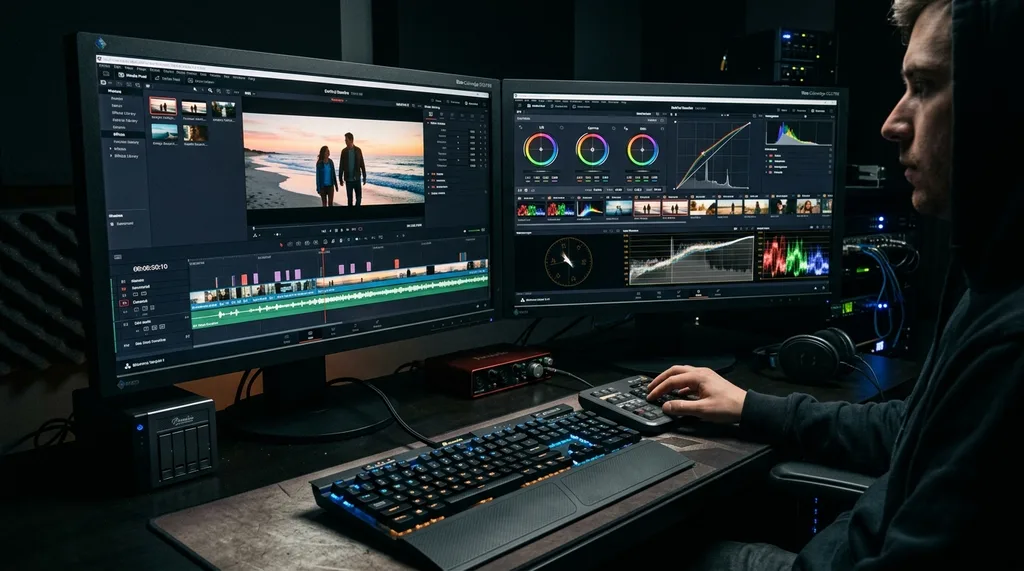
DaVinci Resolve Review: Free vs Studio, Key Features & Who Should Use It
What Is DaVinci Resolve?
DaVinci Resolve is a professional video editing application developed by Blackmagic Design. It runs on Windows, macOS, and Linux, and covers the full post-production pipeline: video editing, color grading, audio mixing via the Fairlight engine, visual effects via Fusion, and media management. Originally developed by DaVinci Systems as a color correction tool, it was acquired by Blackmagic Design in 2009 and has since grown into one of the most fully featured video editing platforms available — with a genuinely capable free version that removes the financial barrier for independent creators and small teams.
Free vs. Studio: What You Actually Get
DaVinci Resolve’s free version is not a stripped-down demo. It supports professional editing, color correction, Fusion visual effects, and Fairlight audio on a single timeline. The limitations are specific and mostly relevant to high-end professional workflows:
- The free version caps timeline and export resolution at 4K Ultra HD. The Studio version removes this cap entirely for 4K+, 8K, and large-format work.
- AI-powered features — including object removal, color match between clips, face refinement, and voice isolation — require Studio.
- Noise reduction (both spatial and temporal) is a Studio-only feature, as is motion blur for VFX compositing.
- HDR10+ grading workflow support requires Studio.
- Stereoscopic 3D tools are Studio-only.
- The full collection of Fairlight and OpenFX plugins is unlocked in Studio.
- Collaborative multi-user editing — where a colorist, editor, audio engineer, and VFX artist can all work simultaneously on the same project — requires Studio.
The Studio version is a one-time purchase with a lifetime license and free updates for all future releases, making it significantly cheaper over time than subscription-based alternatives. Blackmagic Design provides direct customer support for Studio licensees.
Core Features
The Edit Page
The Edit page handles timeline-based cutting, trimming, transitions, text, and basic effects. DaVinci’s magnetic timeline and dual-screen viewer layout are efficient for professional editors. The Cut page offers a faster, more streamlined version of the same editing interface designed for quick turnarounds — useful for YouTube creators and event editors who need to assemble footage quickly without deep color work.
Color Grading
Color is where DaVinci Resolve has historically been the industry standard. The Color page provides node-based grading workflows, scopes, and HDR tools that have been used on Hollywood feature films. Studio users get HDR10+ compliance built into the workflow and access to more advanced color science tools. Even the free version’s color toolset is more sophisticated than what most competing editors offer at any price point.
Fusion Visual Effects
Fusion is a node-based compositing environment integrated directly into DaVinci Resolve. It handles motion graphics, green screen keying, particle effects, and 3D compositing. Studio users gain access to GPU-accelerated rendering, which significantly speeds up processing for complex Fusion compositions.
Fairlight Audio
Fairlight is a professional digital audio workstation built into the same interface. It supports ADR (Automated Dialogue Replacement) recording, multi-track mixing, audio normalization, and a full set of effects. For video projects that require synchronized audio editing without exporting to a separate DAW, Fairlight removes that step entirely.
AI Tools (Studio Only)
DaVinci Resolve’s AI engine, called DaVinci Neural Engine, powers several Studio-exclusive features: automatic color match between clips, facial recognition for organizing media, object removal from footage, voice isolation, and speed warp slow-motion using optical flow analysis. These tools can dramatically reduce manual post-production time on complex projects.
System Requirements
DaVinci Resolve requires a minimum of 16GB of RAM to function properly. For projects using Fusion compositing, 32GB is strongly recommended. GPU acceleration is supported for rendering and processing, which means the quality of your graphics card directly affects timeline performance and export speeds. According to Blackmagic Design’s official DaVinci Resolve page, the software supports most major GPU architectures across NVIDIA, AMD, and Apple Silicon.
Who Should Use DaVinci Resolve?
DaVinci Resolve’s free version is the strongest argument for it: virtually everything a solo creator or small production company needs is available without payment. YouTubers, documentary filmmakers, corporate video producers, and short-form content creators can all use it without hitting the free tier’s limits in normal workflows. For those already working in content creation, it pairs naturally with tools like mobile development skills if you’re building apps around video content, or with analytics platforms if you’re measuring video performance. The Studio upgrade makes sense when your work pushes against the 4K export cap, when you need collaborative workflows with a team, or when AI tools would materially reduce editing time. According to PCMag’s review of DaVinci Resolve, it stands as one of the best free software products in any category — not just video editing.
Frequently Asked Questions
Is DaVinci Resolve free?
Yes. DaVinci Resolve has a fully functional free version available for download from Blackmagic Design’s official website. It supports professional editing, color grading, visual effects, and audio mixing with no time limit or watermark.
What is the difference between DaVinci Resolve and DaVinci Resolve Studio?
The free version covers most professional workflows but caps exports at 4K and excludes AI tools, noise reduction, collaborative editing, HDR10+ grading, and stereoscopic 3D. Studio removes all of those restrictions and is a one-time purchase with lifetime updates.
What is the minimum RAM required for DaVinci Resolve?
16GB of RAM is the minimum. For projects using Fusion compositing or complex timelines, 32GB is strongly recommended.
Is DaVinci Resolve safe to download?
Yes, when downloaded from the official Blackmagic Design website. Occasional false positives from antivirus software are a known issue, but the software itself is safe and widely used in professional production environments.
Does DaVinci Resolve work on all platforms?
Yes. DaVinci Resolve runs on Windows, macOS (including Apple Silicon), and Linux, and supports most major video formats and codecs across all three platforms.